what is Insights Hub by Opti Digital
If you are asking what is Insights Hub by Opti Digital, it is a real-time analytics solution that brings publisher monetisation, ad operations, audience and auction data into one view. It is the analytics hub in Opti Digital’s modular publisher suite, not a demand adapter or header bidding wrapper.
Key Takeaways
- Insights Hub consolidates monetisation, ad operations, audience and auction data into a single reporting view for publishers.
- It serves as the analytics module within Opti Digital’s suite of publisher tools and does not handle demand sourcing or header bidding itself.
- Real-time reporting helps teams diagnose revenue changes before adjusting floors, formats or demand partners.
- Its distinct role matters because it complements, rather than replaces, a wrapper or bid adapter in a modular ad stack.
- Publishers can use its diagnostic view to decide what to test next instead of relying on top-line revenue alone.
For teams working across separate reporting tools, a shared view can support stronger ad revenue optimization by helping identify what changed before adjusting pricing, formats or demand. Insights Hub connects revenue signals with audience and user-experience data, giving teams the context needed for smarter publisher monetization decisions.
What Is Insights Hub by Opti Digital? A Plain-Definition Answer
Insights Hub by Opti Digital is an ad revenue analytics platform that helps publishers understand how monetization, operations, audience behavior and auction activity relate. It is designed for publisher revenue, AdOps, audience and business teams that need a joined-up view rather than separate reports to reconcile.
The four data domains are ad revenue, operational activity, audience behaviour and auction data. Consolidating them in real time helps teams investigate changes while they are relevant, and assess a proposed adjustment with more context than revenue totals alone.
Insights Hub is one of five modular Opti Digital publisher hubs. Its role is diagnostic: it helps you see what may have changed across revenue, inventory and user experience, while the other hubs address specific monetisation functions. Insights Hub supports partial deployments, so publishers can consider a staged approach rather than treating the suite as all-or-nothing.
How Insights Hub Differs from the Other Four Hubs
The distinction is between understanding performance and acting on a particular part of the ad stack. Insights Hub provides analytics, while the other hubs support areas such as header bidding optimization, premium demand, ad formats and dynamic pricing.
| Hub | Primary role |
|---|---|
| Ad Manager Hub | Header bidding wrapper |
| Demand Hub | Premium demand through a Prebid bid adapter |
| Insights Hub | Publisher revenue analytics across connected data domains |
| Ad Experience Hub | Ad formats and experiences |
| Yield Hub | Dynamic floor pricing |
Demand Hub connects publishers with premium demand for publishers through a Prebid bid adapter, while Ad Manager Hub provides the header bidding wrapper infrastructure. Insights Hub does not perform that demand function; it helps teams interpret performance across monetisation and related signals before deciding what to change.
The alternative is to assemble a reporting view by joining sources such as GA4, Google Ad Manager and Looker. That can suit teams with established data pipelines and specific reporting needs, but it also means maintaining definitions and reconciliation across systems. A unified analytics view may reduce that stitching; whether it fits depends on your existing stack and reporting requirements. Insights Hub is part of a modular suite, so using the other hubs is not a prerequisite for considering its analytics role.
Diagnose Before You Optimise: A Six-Step Framework
When revenue changes, identify where the movement began before making a programmatic revenue optimization decision around floors, formats or demand. Insights Hub by Opti Digital brings revenue, operational, audience and auction signals together to help teams assess possible causes; the data should guide a test, not replace a clear hypothesis.
- Confirm the change. Compare the affected period with a suitable baseline and check whether the movement appears in total revenue, page RPM or revenue per visit. A change in traffic volume can affect total revenue without the same movement in per-visit performance.
- Find the segment. Break results down by device, geography and format. If the decline is concentrated on mobile or in one region, investigate that segment before changing settings across all inventory.
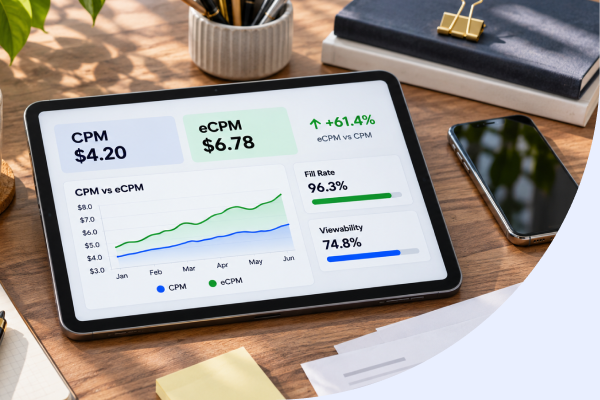
- Check delivery. Review fill rate and eCPM together. Lower fill may point towards fewer served impressions, while a lower eCPM with stable fill suggests a different issue; neither metric alone identifies the cause.
- Inspect auction activity. Compare bidder participation and performance by demand partner. Check whether the timing of a change in auction activity aligns with the revenue movement, rather than assuming that one partner explains it.
- Assess format and user signals. Review performance by format alongside ad viewability, ad density, latency and audience behavior. A format with stronger monetisation signals may still warrant caution if the accompanying experience indicators worsen.
- Set one test and a measure. State the suspected cause, choose a change limited to the affected segment and define the outcome to monitor. Keep the adjustment distinct from other changes so the comparison remains interpretable.
For example, if page RPM falls on mobile while desktop remains stable, compare mobile fill, eCPM and bidder activity by format and geography. That evidence can narrow the investigation before you alter mobile floors or placements.
Record the baseline, segment, change and review period before deploying the test. Insights Hub by Opti Digital supports analysis across connected monetisation and user-experience signals, helping teams make changes with more context; results still depend on the inventory and setup being assessed.
Deployment, Reconciliation and Where to Find Setup Detail
Insights Hub by Opti Digital supports partial deployment, so you can assess a staged rollout rather than connect every reporting source at once. If you are considering a partial deployment, contact your Opti Digital account team for advice on the rollout.
Before treating a difference between platform revenue and analytics as a performance issue, check that both views use the same period, time zone, currency and revenue definition. Then confirm that filters, inventory coverage and reporting delays align.
- Compare the date range and time zone in each report.
- Check whether both views include the same sites, ad units and traffic.
- Review currency, revenue definitions and any applied filters.
- Allow for reporting delays, then compare equivalent periods again.
This reconciliation helps separate a measurement mismatch from a genuine change in monetisation. Keep a record of the discrepancy and the checks completed, particularly when several teams rely on different reporting views.
For teams that need to combine Insights data with existing data infrastructure, our Reporting API supports exports into publisher data warehouses and business intelligence tools. That can help preserve established analysis workflows while making the relevant reporting data available for wider use.
Use the Opti Digital knowledge base for current setup instructions, bidder parameters and API details rather than relying on an article for version-sensitive steps. The practical verdict is to begin with the deployment scope and reporting questions your team needs to resolve, then agree on a consistent reconciliation process before using the data to guide further changes.
Frequently Asked Questions
What is Insights Hub by Opti Digital in one sentence?
Insights Hub by Opti Digital is a real-time publisher analytics solution that unifies ad revenue, ad operations, audience behaviour and auction data in one view. It is the analytics hub in our modular publisher suite, designed to help teams diagnose performance changes with more context than revenue totals alone.
Is Insights Hub a standalone product or part of a modular suite?
Insights Hub is one of five modular hubs in the Opti Digital publisher suite, alongside Ad Manager Hub, Demand Hub, Ad Experience Hub and Yield Hub. Its role is diagnostic: it helps you understand what may have changed across revenue, inventory and user experience, while the other hubs handle specific monetisation functions.
Which data does Insights Hub bring together, and how often is it refreshed?
Insights Hub consolidates four data domains: ad revenue, operational activity, audience behaviour and auction data, refreshed in real time. Reports run across more than 30 dimensions and more than 60 metrics, with years of historical data retained, so teams can investigate changes while they are still relevant.
How is Insights Hub different from Demand Hub, Ad Manager Hub, Ad Experience Hub and Yield Hub?
Insights Hub provides analytics; the other hubs act on parts of the ad stack. Ad Manager Hub is a header bidding wrapper, Demand Hub connects premium demand through a Prebid bid adapter, Ad Experience Hub covers ad formats, and Yield Hub sets dynamic floor prices. Insights Hub helps you interpret performance before deciding what to change.
Do I need to use Opti Digital’s other hubs to use Insights Hub?
No, Insights Hub supports partial deployment, so you do not need to adopt the full suite. You can take a staged approach and connect reporting sources gradually. Contact your Opti Digital account team for advice on a rollout that fits your current stack.
Can Insights Hub replace a reporting setup built on GA4, Google Ad Manager and Looker?
Insights Hub offers a unified real-time view, which can reduce the stitching needed to join GA4, Google Ad Manager and Looker reports. A custom pipeline can still suit teams with established data practices, but it means maintaining definitions and reconciliation across systems.
How does Insights Hub help when publisher revenue suddenly drops?
Insights Hub brings revenue, delivery, bidder and user-experience signals together so you can confirm the change, find the affected segment, check fill rate and eCPM, and inspect auction activity before adjusting floors or formats. That evidence narrows the investigation and helps you run one clear, measurable test.