Insights Hub by Opti Digital options
When revenue data sits across Google Ad Manager, website tags, audience tools and spreadsheets, teams can see different signals without agreeing on what changed. Insights Hub by Opti Digital options start with a practical distinction: an analytics layer helps you investigate performance, but it does not replace the tools that serve and manage adverts.
Key Takeaways
- Consolidating data from Google Ad Manager, tags and audience tools helps teams agree on what actually changed in performance.
- Insights Hub works as an analytics layer for investigating revenue, not as a replacement for your ad serving and management tools.
- The key decision for publishers is whether they need deeper diagnosis of existing performance signals or a different setup entirely.
- Comparing metrics across separate spreadsheets and platforms often hides the cause of a revenue shift, so a unified view speeds up diagnosis.
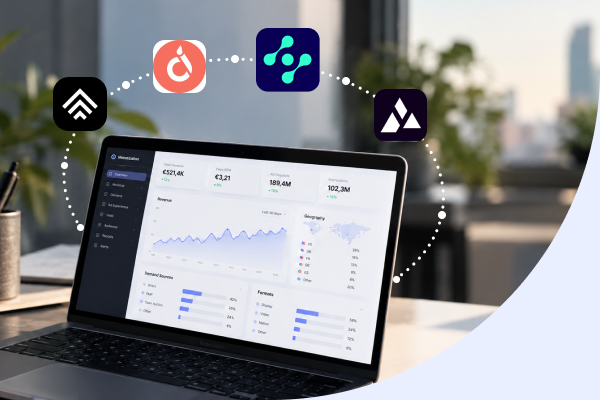
Insights Hub by Opti Digital brings ad revenue, operational, audience and user-experience data together for analysis. It helps publisher teams examine a change before deciding what to test.
Insights Hub is the ad revenue analytics platform within our publisher monetisation technology.. Revenue Operations, AdOps, leadership and editorial teams can use it to understand monetisation, audience and content performance; it does not replace a wrapper, demand adapter or ad-format tool.
Insights Hub by Opti Digital: What It Does and What It Is Not
Insights Hub unifies ad revenue, operational, audience and UX data into one real-time publisher revenue analytics solution. Its purpose is to help you investigate how inventory and content perform, rather than to change how adverts are bought, served or displayed.
What it is: a revenue analytics layer for examining performance across connected data.
What it is not: a header bidding wrapper, bid adapter, ad-format product or floor-pricing tool.
The distinction matters when a revenue movement prompts a proposed change. Analytics can help identify where to investigate; the relevant operational tool remains responsible for implementing a wrapper, adding demand, choosing an ad experience or setting dynamic floors.
| Hub | Role |
|---|---|
| Insights Hub | Analyses revenue, operations, audience and user-experience data. |
| Ad Manager Hub | Provides the header bidding wrapper. |
| Demand Hub | Connects premium demand through a Prebid bid adapter. |
| Ad Experience Hub | Provides ad formats and experiences. |
| Yield Hub | Supports dynamic floor pricing for publishers when pricing is part of the investigation. |
Revenue Operations and AdOps teams use the analytics to monitor monetisation and operational performance. Leadership can follow revenue trends, while editorial teams can examine article-level value and connect content performance with commercial data.
What Insights Hub Reports and How You Connect It
Insights Hub brings together reporting on operations, monetisation, revenue, audience and performance. It also connects article-level and session-level results, including page RPM and article profitability, with web performance signals such as Core Web Vitals, ad density and latency.
In Report Builder, teams combine dimensions, metrics, filters and date ranges to investigate a business question. Reports run across more than 30 dimensions and more than 60 metrics, with years of historical data retained. Consent analytics and analytics on web performance add context to monetisation reporting.
- Install the Opti Digital analytics script on your website.
- Grant access to Google Ad Manager.
- Create user access for colleagues whose email addresses are associated with a Google account.
Google Ad Manager access is read-only. It does not allow inventory changes or trafficking actions, so connecting the account does not alter live advertising operations.
For the most consistent view, deploy the analytics script across your full inventory. A partial deployment may create discrepancies between Google Ad Manager data, tag-collected data, revenue metrics and audience metrics.
Turning Visibility into Decisions: A Diagnostic Sequence for Each Team
Useful reporting starts with a specific question, not a hunt through every available metric. With Insights Hub by Opti Digital, teams can use Report Builder to connect a business question to a signal, choose a test and then assess the result.
The question should reflect each team’s responsibility. A shared reporting view can help commercial and editorial colleagues discuss article-level value using the same evidence, while keeping their decisions distinct.
| Team | Question to ask | Signal to examine | Possible next step |
|---|---|---|---|
| Revenue Operations | Where did revenue change, and when? | Revenue trends by date and relevant inventory segments. | Check whether the movement is concentrated in a particular segment before proposing a change. |
| AdOps | Which operational or placement factor might explain the movement? | Placement performance alongside relevant operational and user-experience data. | Investigate the affected placement or configuration, then test one change. |
| Leadership | Is the change a short-term fluctuation or a broader business trend? | Revenue over a suitable reporting period, with context from performance data. | Set a follow-up period and ask the relevant team to investigate the clearest signal. |
| Editorial | How does content value vary across articles or groups of articles? | Article-level and session-level results, including page RPM and article profitability. | Discuss content performance with commercial colleagues, accounting for audience and page context. |
For each investigation, record the question, the signal that supports or challenges the initial explanation, the single change to test and the measure that will show whether it helped. If the evidence does not support the first explanation, revise the hypothesis rather than changing several settings at once.
Article-level reporting can give editorial and commercial teams a common basis for discussing content value. It does not, on its own, explain why an article performed as it did, so interpret results alongside audience patterns and page experience rather than treating one metric as a verdict on editorial quality.
Use the resulting evidence to decide which investigation merits attention first. The Insights Hub by Opti Digital options are most useful when the reporting question, the team responsible and the next test are clear before anyone changes monetisation settings.
Choosing Your First Reports and What to Test Next
Choose a first report according to the decision your team needs to make, rather than trying to review every available measure. The right starting point gives each team a useful signal and a clear next question.
- Leadership: Start with revenue trends over a relevant period. If the movement is concentrated in a particular time or inventory segment, ask the responsible team to investigate before treating it as a wider business shift.
- Editorial: Review article-level value alongside audience and page context. Use the results to inform discussion between editorial and commercial colleagues, not as a standalone judgement of content quality.
- AdOps: Examine placement performance and related operational or user-experience signals. Check whether a change is isolated to particular inventory before testing a configuration adjustment.
- Revenue Operations: Use the clearest revenue movement to prioritise the next investigation, then agree which measure will indicate whether a proposed change helped.
When a report points to weaker performance, diagnose the likely cause before changing a floor or format. A revenue movement may coincide with a change in audience, placement behaviour or page experience; acting on the wrong explanation can make it harder to learn from the result.
Use ad revenue optimization as a process of investigation and measured testing, not as an assumption that a particular setting will raise earnings. The Insights Hub by Opti Digital features worth prioritising are the reports that connect a defined business question to an actionable signal.
As a practical next step, select one report, record the question it should answer and agree who will review the signal and any test. Revisit the decision after a suitable measurement period, using the same reporting scope so the comparison remains meaningful.
Frequently Asked Questions
What is Insights Hub by Opti Digital and what does it actually do?
Insights Hub by Opti Digital is the analytics layer in our publisher monetisation platform. It unifies ad revenue, operational, audience and user-experience data into one real-time solution, helping you investigate performance before deciding what to test. It does not change how adverts are bought, served or displayed.
How is Insights Hub different from Opti Digital’s other hubs?
Insights Hub analyses data rather than operating your ad stack.Ad Manager Hub provides the header bidding wrapper within the wider monetisation stack., Demand Hub connects demand through a Prebid bid adapter, Ad Experience Hub provides ad formats, and Yield Hub sets dynamic floors. Insights Hub helps you examine where to investigate; the relevant hub implements the change.
Who inside a publishing business should use Insights Hub, and for which questions?
Revenue Operations and AdOps teams use it to monitor monetisation and operational performance, such as where and when revenue changed. Leadership can follow revenue trends over a reporting period, while editorial teams can examine article-level value, including page RPM and article profitability, alongside audience and page-experience context.
What are the setup steps and what access does Insights Hub require?
Setup involves three steps: install the Opti Digital analytics script on your website, grant read-only access to Google Ad Manager, and create user access for colleagues with Google-account email addresses. For the current technical details, see our Getting Started with Insights Hub article.
Does connecting Google Ad Manager give Opti Digital write access to my inventory?
No. Google Ad Manager access is read-only, which means it does not allow inventory changes or trafficking actions. Connecting your account adds reporting visibility without altering your live advertising operations in any way.
Why should I deploy the analytics script across my full inventory?
A full deployment gives the most consistent view of your data. If some pages or placements sit outside the measurement scope, you may see discrepancies between Google Ad Manager data, tag-collected data and your revenue and audience metrics, which makes comparisons less reliable.
What can I report on with Insights Hub’s Report Builder?
Report Builder lets you combine dimensions, metrics, filters and date ranges to investigate a specific business question. Reports run across more than 30 dimensions and more than 60 metrics, with years of historical data retained, alongside consent analytics and web performance signals such as Core Web Vitals, ad density and latency.