how to get ads on your website
If you are deciding how to get ads on your website, start by treating advertising as a business model, not a sign-up task. You earn when advertisers pay to reach your audience through space on your pages; visitors do not earn money simply by watching ads.
Key Takeaways
- Website advertising works as a business model where advertisers pay for access to your audience, so revenue depends on the value of your inventory rather than on simply displaying ads.
- Choosing between AdSense, ad networks and direct programmatic routes is a decision about how much control you want over demand and pricing.
- Your traffic volume, content niche and audience location all influence which monetization route will pay the most for your specific site.
- Setting up an ad account is only the first step, and longer-term revenue comes from testing placements, formats and demand sources.
- Understanding how each option handles payments, fill rates and reporting helps you compare providers on real numbers instead of promises.
The right route depends on your content, audience and capacity to manage advertising. More placements can create more opportunities to earn, but they can also slow pages or interrupt reading, so test both revenue and the visitor experience.
What Getting Ads on Your Website Means
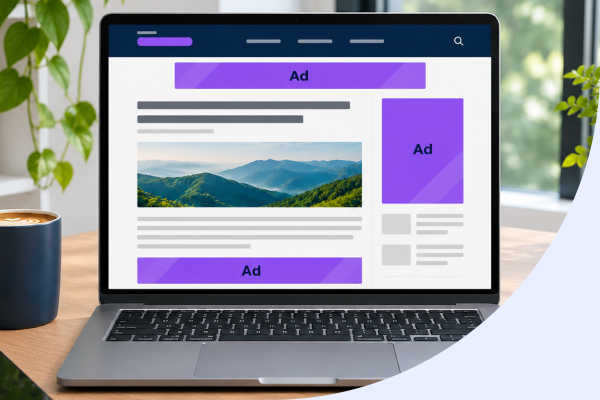
Website advertising means making inventory available to advertisers as part of a broader publisher monetization strategy.. Formats include display banners, in-article placements, in-feed ads, anchor ads, video and native units designed to fit a page’s content. Placement and density affect visibility, revenue opportunities and how easily readers can use the site.
Payment models describe different parts of the process: CPC is the cost to an advertiser for a click; CPM is the cost for one thousand ad impressions; RPM is the revenue you earn per thousand page views or impressions. None is a guaranteed rate. Earnings vary with qualified traffic, audience, geography, device, seasonality, viewability, fill and advertiser demand. This is not passive income: performance depends on the inventory and audience you build, alongside the choices you make about ad delivery.
Choose an Ad Route That Fits Your Audience and Capacity
AdSense can be a practical starting point when you want an established network to sell placements without building a sales operation. As your traffic and demand competition develop, a wrapper can let multiple demand sources bid for impressions, but it adds technical and operational work. Direct sales offer control over campaign terms and placements, while requiring you to find advertisers, agree terms and manage delivery.
| Route | Control | Effort | Revenue potential and operational risk |
|---|---|---|---|
| Ad network, such as AdSense | Limited placement and demand control | Lower setup and sales effort | Convenient entry point; earnings depend on traffic, demand and site suitability |
| Programmatic through a header bidding wrapper | More control over participating demand and configuration | Higher integration and ongoing management effort | More demand sources can compete for impressions; added complexity requires monitoring |
| Direct-sold campaigns | High control over advertiser, placement and terms | Requires sales, campaign management and reporting | Commercial terms are agreed directly; delivery and renewal depend on your sales operation |
Consider a wrapper when established traffic and competing sources of demand make managing more bids worthwhile. Our Ad Manager Hub is a publisher monetization platform with a header bidding wrapper. Demand Hub’s Prebid bid adapter connects premium demand and is not a replacement wrapper.
For AdSense, choose between automation and placement control according to your site and capacity to test. Auto ads reduce placement work; manual units take more implementation effort but let you decide where units appear.
| AdSense option | Best suited to | Trade-off |
|---|---|---|
| Auto ads | A simpler start with automated placement | Less control over where ads appear |
| Manual ad units | Publishers who want to choose placements | More implementation and placement decisions |
Whichever route you choose, do not assume that more ads mean more revenue. Test placement and density while watching page speed and layout stability, especially on mobile. For AdSense, traffic quality and original, policy-compliant content matter, but there is no universal traffic threshold to treat as an approval guarantee.
- Check eligibility and current programme policies.
- Sign up and add your site to the account.
- Complete the requested site verification.
- Publish the requested ads.txt entry on your domain.
- Choose Auto ads or manual units, then place the required code in your site HTML.
Google’s AdSense Help provides current instructions for verification, ads.txt and code placement, including the required code location. Use that documentation for the technical details rather than relying on a generic guide.
Measure Whether Your Ad Setup Is Working
Review performance weekly, but compare equivalent periods before drawing conclusions. Page RPM is revenue per thousand page views; impression RPM is revenue per thousand ad impressions. Fill rate shows the share of ad requests that receive an ad, while ad viewability indicates whether an ad had the opportunity to be seen.
These measures answer different questions from CPC, the amount paid per click, and CPM, the cost per thousand impressions. A change in revenue may reflect traffic or demand, while shifts in fill or viewability can point to delivery or placement issues.
Use five checks to identify what changed before adjusting placements or ad density:
- Revenue or page RPM: A fall may reflect lower demand, a different audience mix or fewer page views. Check traffic sources, geography and device mix.
- Impressions and fill: Fewer impressions can follow a traffic decline; weaker fill may indicate that more requests are going unfilled. Compare requests with delivered impressions by placement.
- Viewability: A drop can mean ads are appearing where readers do not reach or see them. Check position, scroll behaviour and device layout.
- Page speed or layout shift: Slower loading or movement during page rendering can follow changes to ad delivery or page code. Review load times and layout stability alongside the timing of any technical changes.
- Engagement or return visits: A decline may signal that the experience has become less usable. Check whether it coincides with a placement, density or loading change.
When possible, segment results by device, geography and placement, and compare like-for-like days or weeks. This helps separate a site-wide shift from an issue limited to one audience or position.
Our Insights Hub acts as an ad revenue analytics platform, helping you examine performance before deciding what to test. For stronger ad revenue optimization, change one factor at a time, then monitor both revenue and the reader signals that could explain its effect.
Keep Ad Delivery Within Policy and Consent Requirements
Policy checks are part of running advertising, not a one-off approval step. Google’s AdSense policies prohibit invalid traffic, including artificial clicks or impressions and practices that improperly encourage clicks.
Never ask visitors to click ads or use traffic schemes to increase activity. If traffic or click patterns look suspicious, investigate the source before making changes to your advertising setup.
Use this compliance checklist as part of your regular ad operations:
- Review site eligibility: Check Google’s current AdSense policies for content and programme requirements. Eligibility can depend on your site and circumstances, so do not assume one rule applies everywhere.
- Complete verification: Follow Google’s current AdSense instructions for site verification and any requested checks.
- Publish ads.txt correctly: This public file identifies sellers authorised to sell your inventory. Use Google’s current instructions and confirm that the file is accessible on your domain.
- Meet applicable consent requirements: Review Google’s consent documentation and the privacy requirements that apply to your audience and locations.
- Check the visitor experience: The Coalition for Better Ads standards identify intrusive formats to avoid. Assess ad formats and density against those standards, and monitor page stability and user response after changes.
Requirements and implementation details can change, so consult current platform documentation rather than relying on an old setup guide. If you receive a policy warning or detect suspicious traffic, pause and investigate before adding more inventory.
Frequently Asked Questions
How do I get ads on my website for the first time?
To get ads on your website, choose an advertising route that fits your audience and the time you can spend managing it. An ad network such as AdSense is a practical starting point because it handles advertiser demand; direct sales offer more control but require you to find advertisers and manage campaigns. Check your site’s eligibility and current programme policies before applying.
How do I add Google AdSense to my website step by step?
To add Google AdSense, sign up, add your website to your account, complete the requested verification, publish the ads.txt entry and add the required ad code. Then choose Auto ads or manual ad units based on how much placement control you want. Follow Google’s current AdSense Help instructions for verification, ads.txt and where to place the code.
Do I need a minimum amount of traffic to get AdSense approval?
Google does not provide a universal traffic threshold that guarantees AdSense approval. Traffic quality and original, policy-compliant content matter, so review the current programme eligibility and policies before applying. Approval is not guaranteed by reaching a particular number of visitors.
What is ads.txt, and why does AdSense ask for it?
Ads.txt is a file published on your domain that lists authorised sellers of your advertising inventory. AdSense may ask you to add a specific entry so buyers can check that the listed sellers are authorised. Follow the current AdSense instructions for the required entry and placement.
Should I use Auto ads or manual AdSense ad units?
Use Auto ads if you want AdSense to automate placement, or manual ad units if you want to choose where ads appear. Auto ads require less placement work but provide less control; manual units take more implementation and testing. Whichever option you choose, monitor revenue alongside page speed, layout stability and reader engagement.
How much can a website earn from ads?
Website ad earnings vary with traffic, audience location and device, seasonality, ad viewability, fill and advertiser demand. Page RPM measures revenue per thousand page views, while impression RPM measures revenue per thousand ad impressions. Neither metric represents a guaranteed rate, so compare equivalent periods and segments when assessing results.